







Loading...
COMPAGNIE
LIENS UTILES
PARTENARIAT
© 2026 Éditions Logitell inc. Tous droits réservés.
Financé en partie par le gouvernement du Canada |
OPTIMUM SERIES
Sélectionner un format
Les copies papier sont disponibles directement auprès de l'éditeur. Vous serez redirigé vers son site Web pour consulter les options imprimées. Tous les achats de versions imprimées sont traités par l'éditeur, et non par Logitell.
Prix
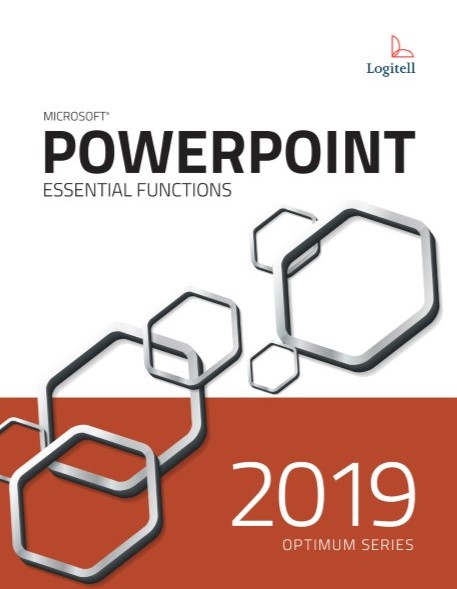
Nowadays, multimedia presentations are at the heart of corporate communications. The goal of any presentation, whether you are teaching, informing, selling, or entertaining, is to transmit your message as effectively as possible to your audience. Both theoretical and practical, this course will allow you to acquire the necessary skills to create such presentations with PowerPoint 2019. Our comprehensive Logitell approach guides students through progressively increasing skill sets using real-world exercises and extensive practice, promoting independent learning. As a Canadian company, we are committed to providing high-quality resources tailored to the unique needs of the Canadian education market. Logitell resources offer an outstanding value, with pricing notably lower than our competitors, allowing educators to provide students with quality materials within budgetary constraints.
Table des matières
Chapter 1 - Starting PowerPoint
Chapter 2 - Opening and Viewing a Presentation
Chapter 3 - Creating a Presentation
Chapter 4 - Modifying Text
Chapter 5 - Working in the Outline Pane
Chapter 6 - Modifying and Manipulating Slides
Chapter 7 - Formatting Text
Chapter 8 - Formatting Paragraphs
Chapter 9 - Working with Themes, Slide Masters and Layout Masters
Chapter 10 - Using Pictures
Chapter 11 - Using Shapes
Chapter 12 - Using Text Boxes
Chapter 13 - Creating Tables
Chapter 14 - Creating Charts
Chapter 15 - Using WordArt
Chapter 16 - Using SmartArt
Chapter 17 - Adding Audio and Video Clips
Chapter 18 - Adding Transitions, Animations, and Hyperlinks
Chapter 19 - Using Various Tools
Catégorie
Langue du manuel
Collection
Nbre de pages

Les Éditions Logitell produisent et distribuent du matériel pédagogique en français et en anglais à travers tout le Canada. Depuis sa création en 1990, cette maison d’édition s’est démarquée par la qualité de ses ouvrages et s’est forgée une réputation enviable auprès des institutions d’enseignement. Aujourd’hui, l’équipe de Logitell est fière d’avoir pu aider plus d’un million d’étudiants à atteindre leurs objectifs scolaires et professionnels. L’équipe de Logitell est spécialisée dans la rédaction et l’édition d’ouvrages de formation en bureautique. L’organisation méthodique du contenu de nos ouvrages ainsi que la qualité de la langue en font des ouvrages d’apprentissage et de référence agréables à utiliser.
Chapter 20 - Setting up a Slide Show
Nbre d'exercices
| Combo | Numérique | Papier | |
|---|---|---|---|
Valeur du produit | Meilleure valeur! | ||
Produit expédié | |||
Copie papier | |||
Compte utilisateur | |||
Ressources enseignant | |||
Exercices téléchargeables | |||
Accès numérique | |||
Accessibilité sur tout appareil | |||
Quiz autocorrigés |